

The Generations section
Under the studio steps, Generations (N) shows everything made for the selected product.- Each card has an engine tag (for example v1 - 2K) so you know how it was made.
- Compare with product image opens your product photo and the result side by side.
- Refresh reloads the list.
- Clear All clears the list from view.
- Edit Your Own Image lets you upload any image and edit it with the same tools.
The image viewer
Click an image to open it full screen.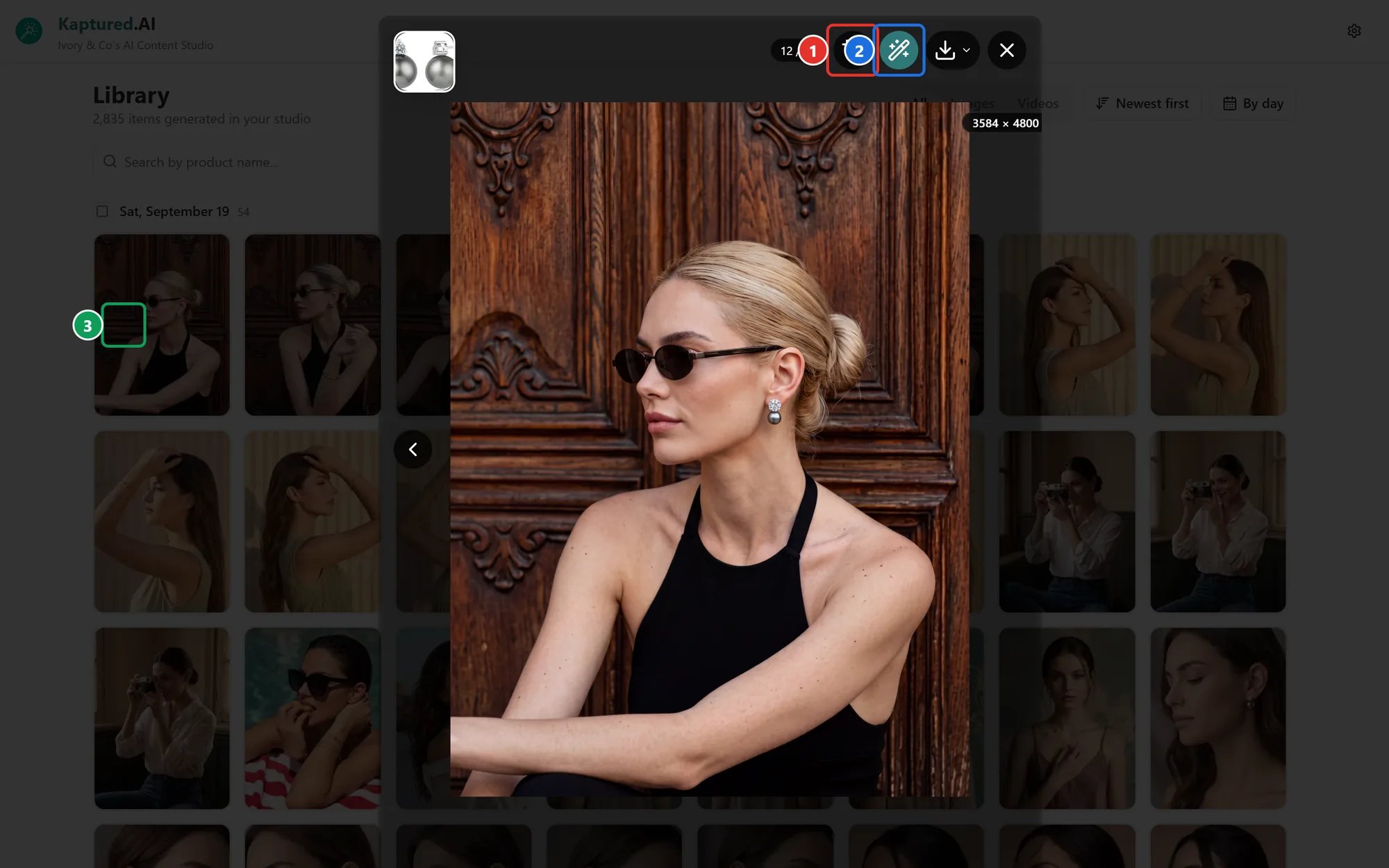
The image viewer toolbar: Crop image (1), Magic edit with AI (2) and Download (3).
- Move between images with the arrows. The counter shows where you are, for example 12 / 12.
- Crop image (1), including exact sizes for Amazon, Etsy, Shopify and ads. See Marketplace Crops.
- Magic edit with AI (2) to add your logo and ad text. See Magic Edit.
- Hover over the image to show the editing tools: presets, a prompt box and Convert to Video. See Editing Images with AI.
- Download (3).
Download options
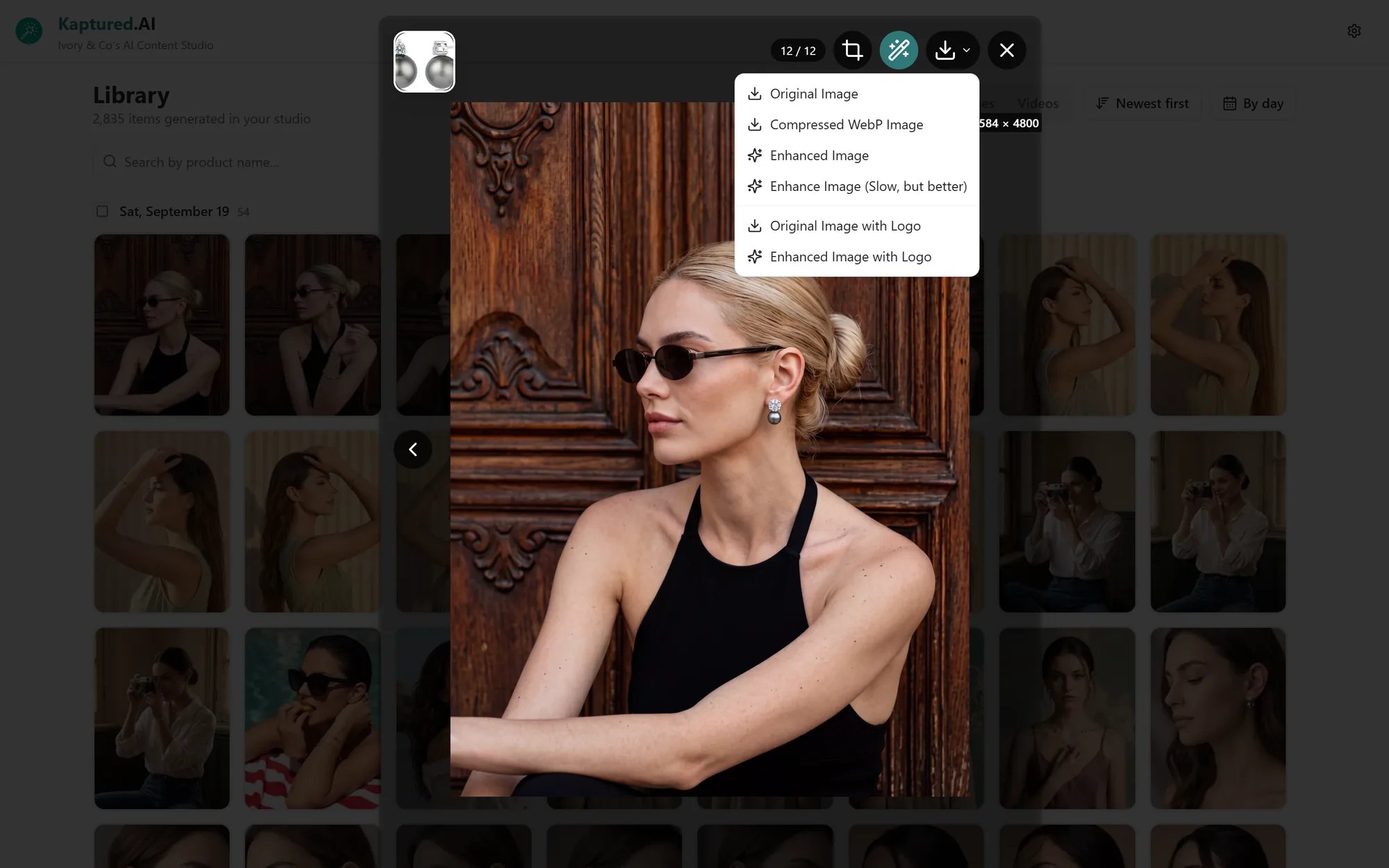
The download menu in the viewer.
- Enhance runs in your browser and uses no credits. When it finishes, click Compare results to see the before and after.
- The with Logo options use the logo and Logo Position from Shop Settings. If you haven’t uploaded one you’ll see “No shop logo configured. Set a logo in Shop Settings.”
- Enhanced and logo downloads are on paid plans.
silk-kurta-image-created-by-kaptured-ai.png.