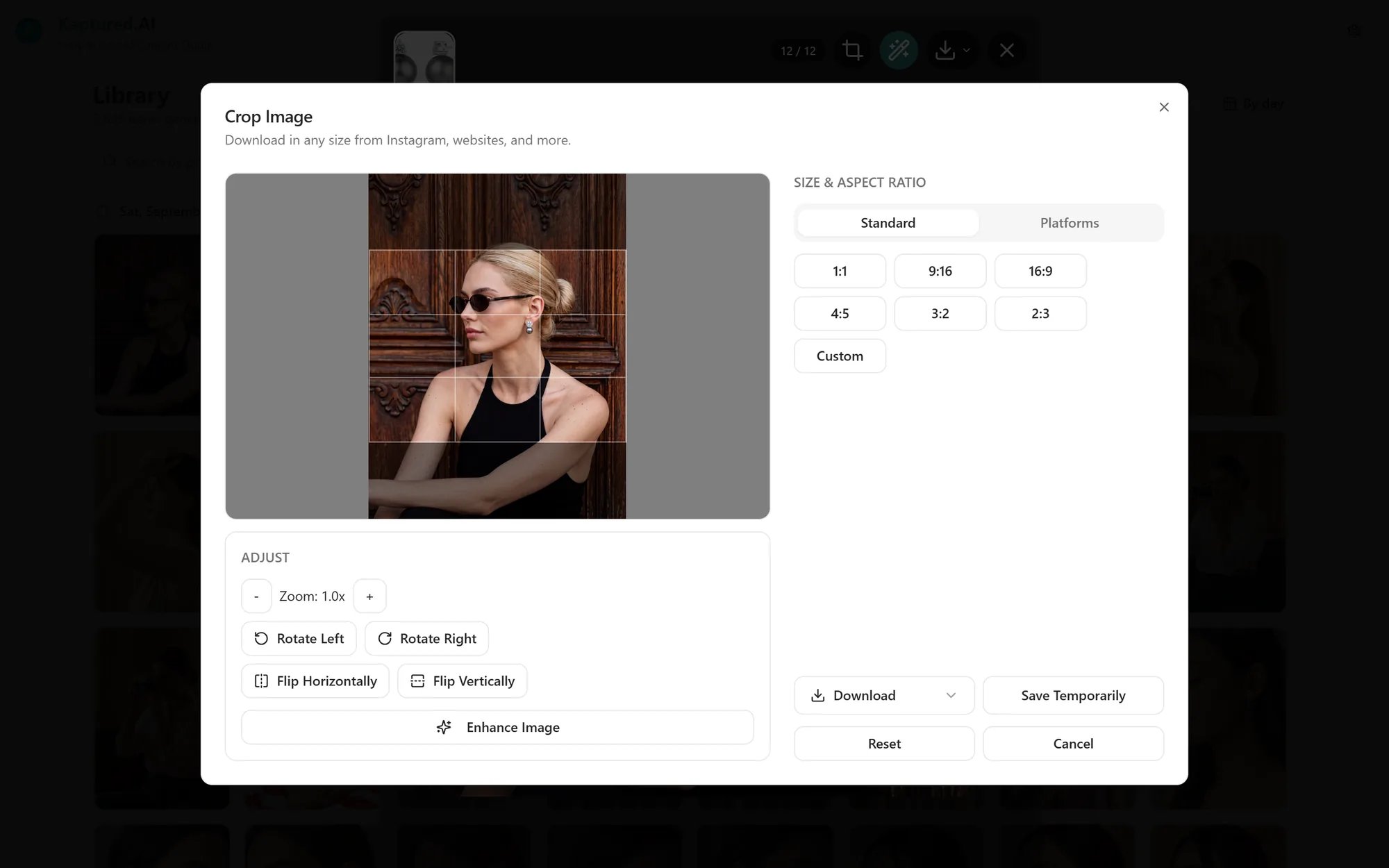
Every marketplace and ad platform wants a different image size. Crop image has the sizes built in, so you can export the right one without guessing. Cropping uses no credits.

Crop an image

  1. Open an image in the viewer and click Crop image.
  2. Choose a shape:
    • Standard ratios: 1:1, 9:16, 16:9, 4:5, 3:2, 2:3, or Custom.
    • Platform sizes: pick a platform, then the image type you need. The crop box snaps to that exact size.
  3. Drag the crop box to frame the product. Use Adjust to rotate or flip.
  4. Fine-tune Width and Height if needed.
  5. Click Download.
Crop Image dialog with the crop box, aspect ratio options, platform sizes and Download button

The Crop Image dialog, with standard ratios and platform sizes on the right.

Built-in platform sizes

Generate at 2K or 4K if you’ll crop tightly or need a large size such as Amazon’s recommended 2560 × 2560. Cropping a 1K image down leaves fewer pixels to work with.