

Customers are available to Apparel shops with Enable Virtual Try-On Customers turned on in Shop Settings. The Free plan allows up to 3 customers.
Add a customer
- Go to Style Customers and click Add customer. The Manage Customers dialog opens on the All Customers tab.
- Switch to the Add New tab.
- Customer Photo: upload or drop a photo (JPG, PNG, WebP, AVIF or HEIC) and crop it in Crop Image. Click Confirm Crop.
- Name: up to 20 characters.
- Gender: Male, Female, Boy or Girl.
- Phone (Optional): choose the country code and enter the number.
- Click Add Customer.
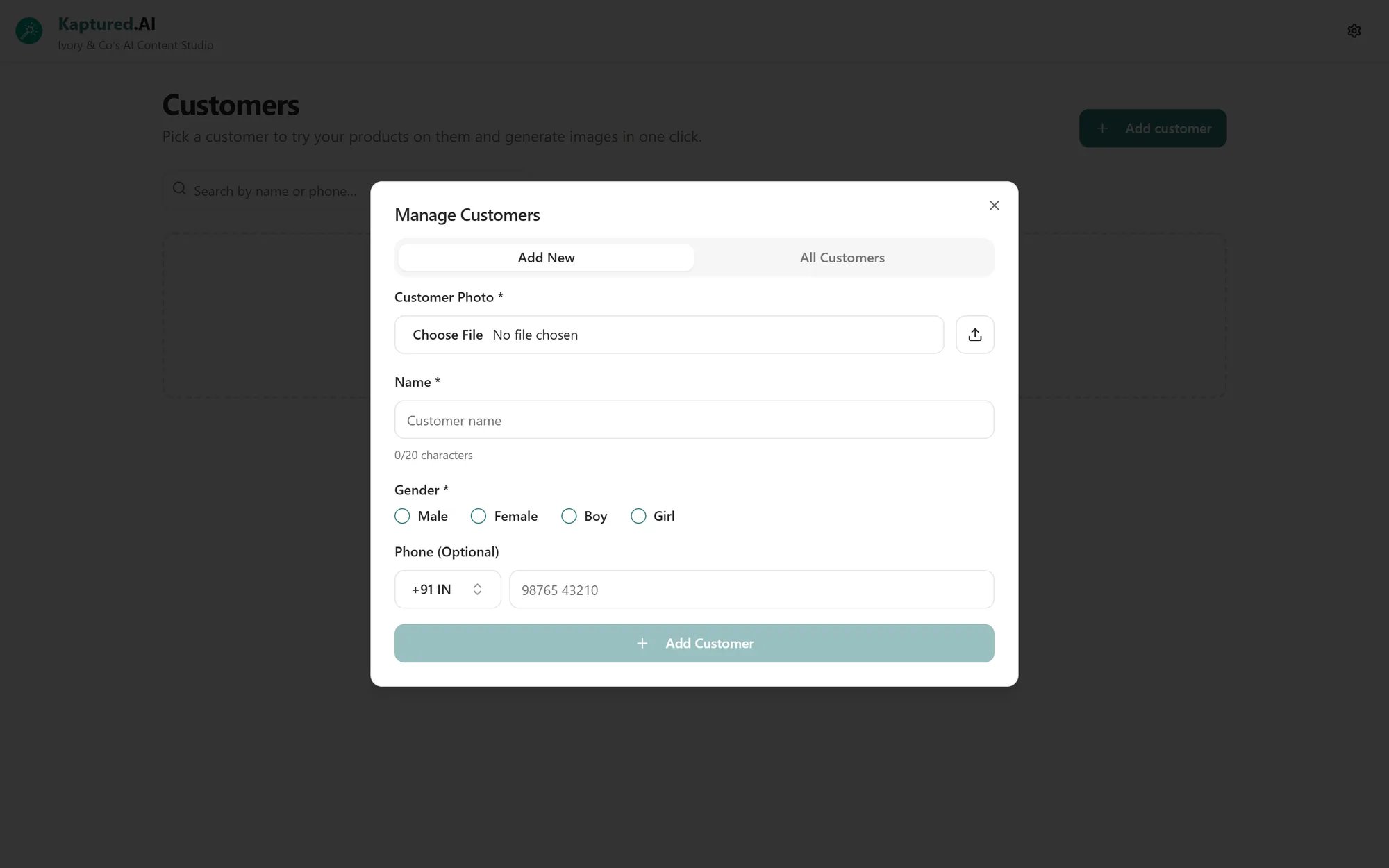
The Add New tab of Manage Customers.
A good customer photo
- A clear, well-lit, front-facing photo.
- The face and body visible, not cut off at the head.
- Just one person in the photo.