

Your current plan
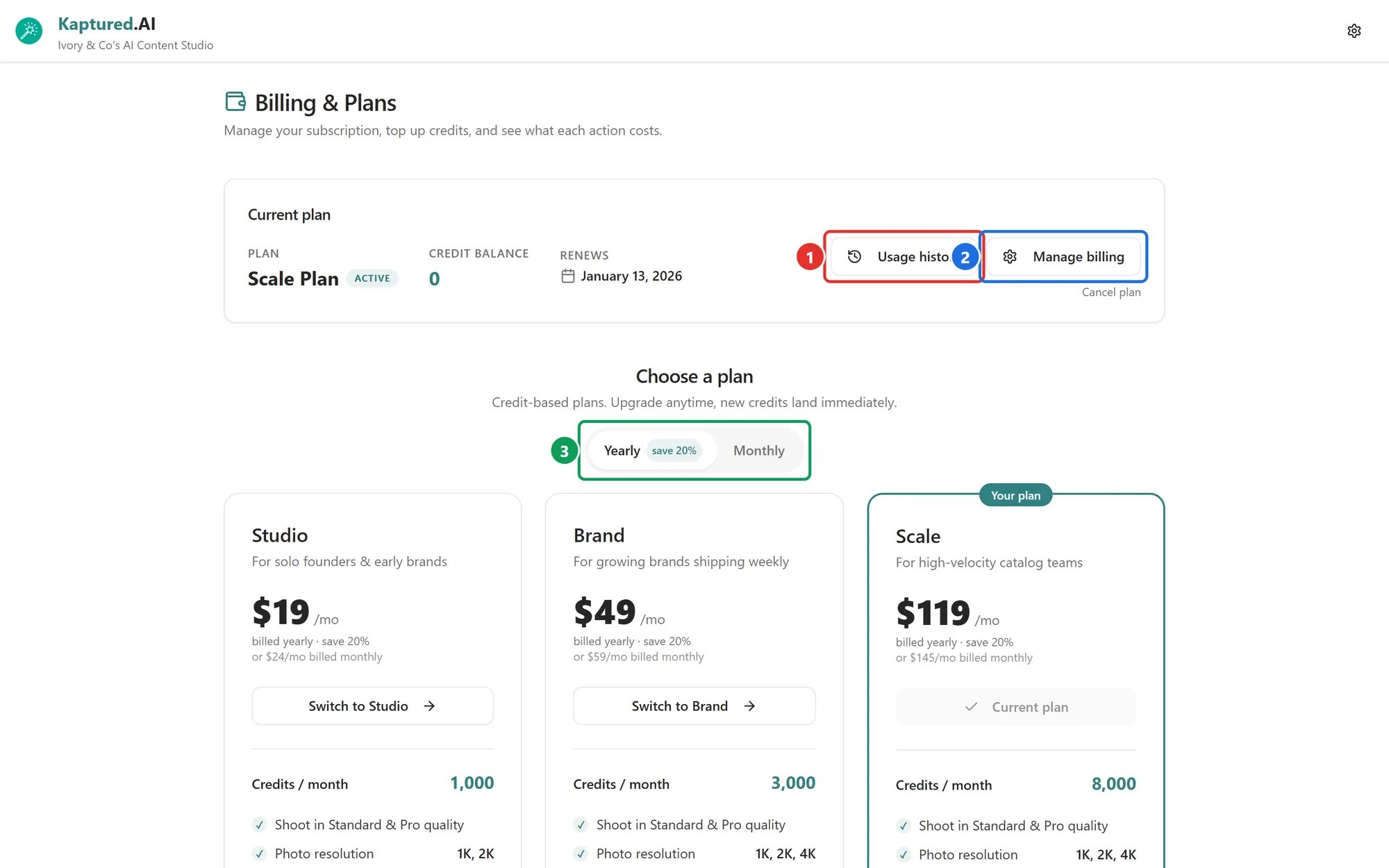
Billing & Plans: Usage history (1), Manage billing (2) and the Yearly / Monthly switch (3).
- Plan, for example “Brand Plan”
- Credit balance
- Renews (or Cancels) with the date
- A status badge: Active, Canceling, Payment overdue or Expired
Upgrade
Click Switch to on a bigger plan and confirm. You’re charged the prorated difference for the rest of the billing period, and the extra credits are added straight away. For example, moving from Studio to Brand mid-month adds 2,000 credits. You’ll see “Plan updated.” when it’s done.Downgrade
Click Switch to on a smaller plan and confirm. You keep the credits you already have this month; the smaller allowance applies from the next monthly refresh. Any price difference is prorated by Stripe.Switch between monthly and yearly
Use the Yearly / Monthly switch (3), then pick your plan.Update your card or download invoices
Click Manage billing (2). This opens the Stripe billing portal, where you can:- Update your payment method
- See and download every invoice and receipt
- Change or cancel your plan
Cancel
- Click Cancel plan and confirm in the Stripe portal.
- Your plan stays active until the end of the period you’ve paid for. The badge shows Canceling and the date reads Cancels.
- After that date the plan ends. Your remaining credit balance is kept, but you don’t get new monthly credits, and you’ll need to choose a plan to keep using the studio.