

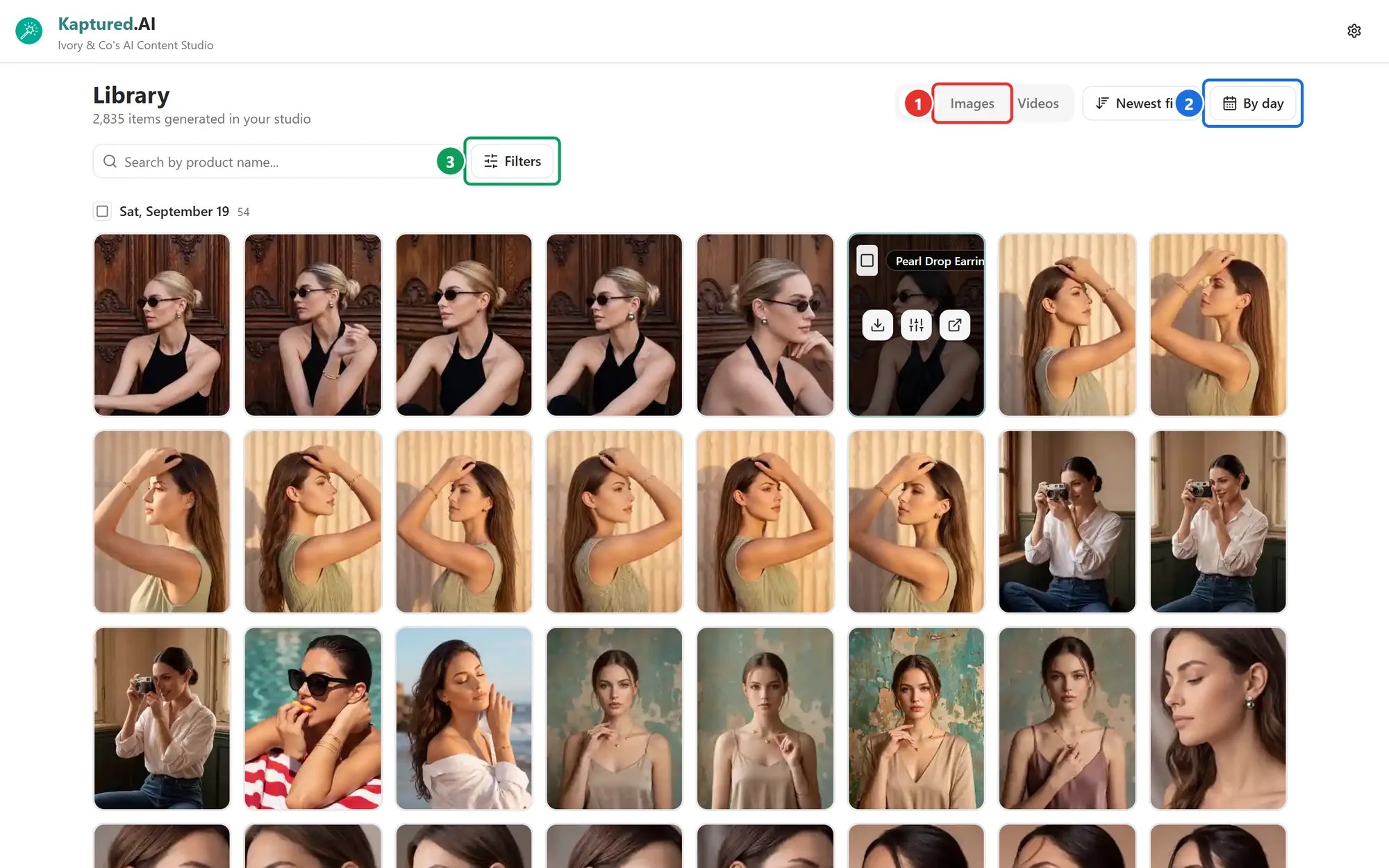
The Library: the All / Images / Videos tabs (1), the Group menu (2) and Filters (3).
Browse
- Tabs (1): All, Images or Videos.
- Sort: Newest first (default) or Oldest first.
- Group (2): By day (default), By week, By month or By product. Grouping by product sorts by product name.
Search and filter
- Search by product name… finds items by product.
- Filters (3) narrows down by Category, Colors and Sizes, taken from your products. Filters apply to product images. Click Clear to reset.
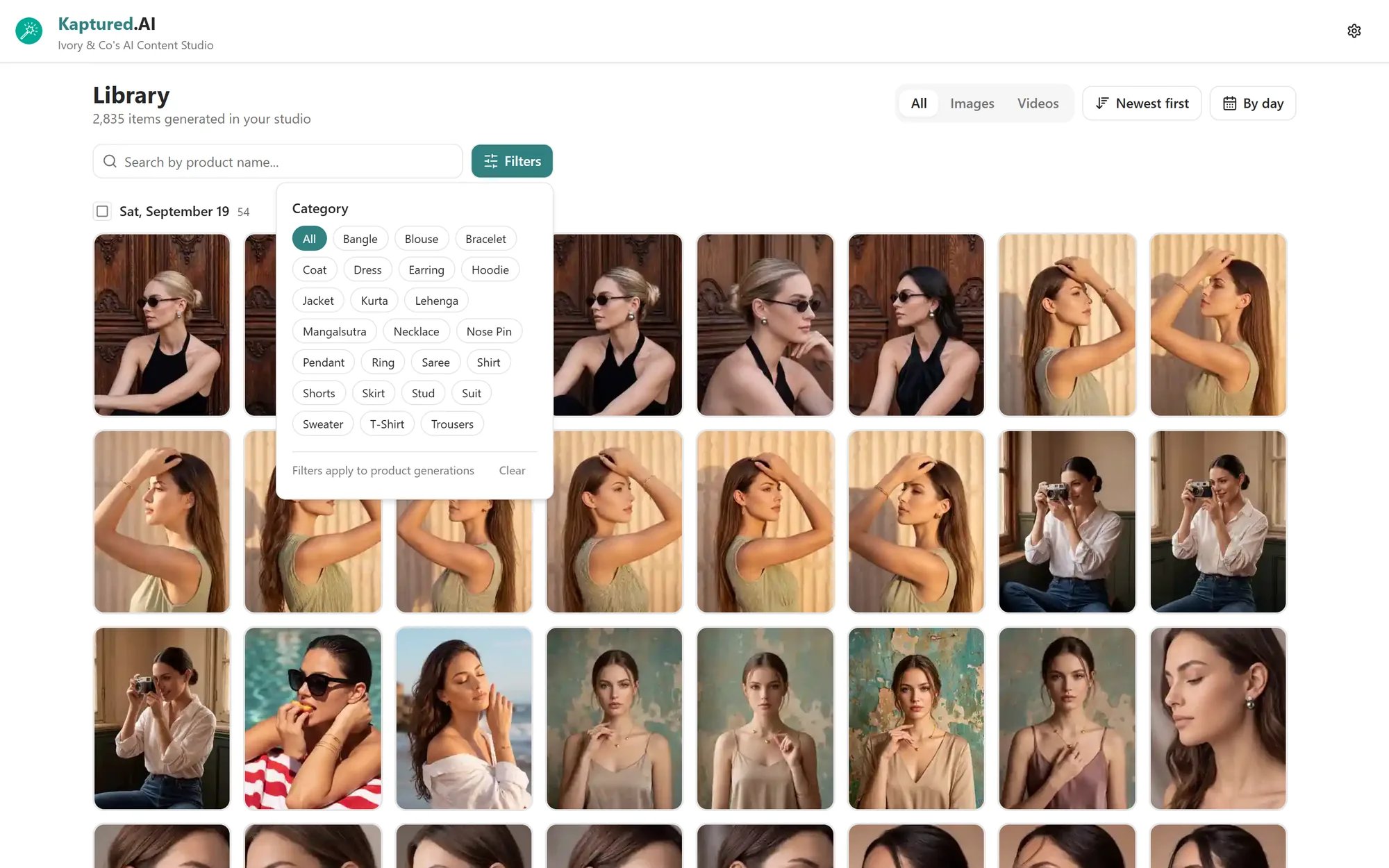
The Filters panel. The chips come from your own products.
Open an item
- Product images open in the full studio viewer, with all the editing tools: prompts, presets, Magic Edit, Convert to Video and downloads. Edits you make appear in the Library straight away. See Editing Images with AI.
- Other images and all videos open in a full-screen viewer. Use the arrows or ← / → keys to move, and Esc to close. On a phone, swipe to move and pinch to zoom.
Quick actions on a tile
Hover a tile for:- Compare with product image: see the result next to your original product photo.
- Open product in studio: jump to the AI Photo Studio with that product selected.
- Download: the same options as in the studio. See Download options.
- A checkbox to select it for bulk actions.