> ## Documentation Index
> Fetch the complete documentation index at: https://docs.kaptured.ai/llms.txt
> Use this file to discover all available pages before exploring further.
# How Credits Work
> What each action costs, when credits refresh, how top-ups work, and how to see where your credits went.
Everything you generate in Kaptured AI is paid for with credits. This article explains what things cost, when your credits refresh, and which credits get used first.
## What things cost
### Images
| Image engine | 1K | 2K | 4K |
| ---------------------- | -- | -- | -- |
| **v1** (Best Value) | 12 | 20 | 35 |
| **v2** (Most Powerful) | 40 | 50 | 90 |
| **v3** (Most Powerful) | 40 | 50 | 90 |
Each engine you select in **Final Settings** makes its own image and is charged separately. [Editing an image](/editing-and-video/editing-images) with a prompt or preset costs the same as one image at the engine you pick.
### Videos
| Video model | 4 seconds | 6 seconds | 8 seconds |
| -------------- | --------- | --------- | --------- |
| **Lite** | 100 | 150 | 210 |
| **Fast** | 120 | 180 | 250 |
| **Omni Flash** | 120 | 180 | 250 |
| **Quality** | 200 | 300 | 400 |
### Free actions
* Cropping
* **Enhance** downloads (they run in your browser)
* Compressed and with-logo downloads
* Adding products and customers
Prices can differ on some accounts. The confirm dialog always shows the exact cost before anything is charged.
## When credits refresh
* **Plan credits refresh at the start of every calendar month.** Your full monthly allowance is added, and **unused plan credits from the previous month don't roll over**.
* When you first subscribe, you get your allowance straight away.
* On yearly plans, credits still arrive monthly.
## Top-up credits
Top-ups are added straight away and last **90 days** from purchase. They're not affected by the monthly refresh.
## Which credits are used first
Credits that expire soonest are used first. In practice, top-up credits are usually spent before your plan credits, so they don't go to waste.
## See where your credits went
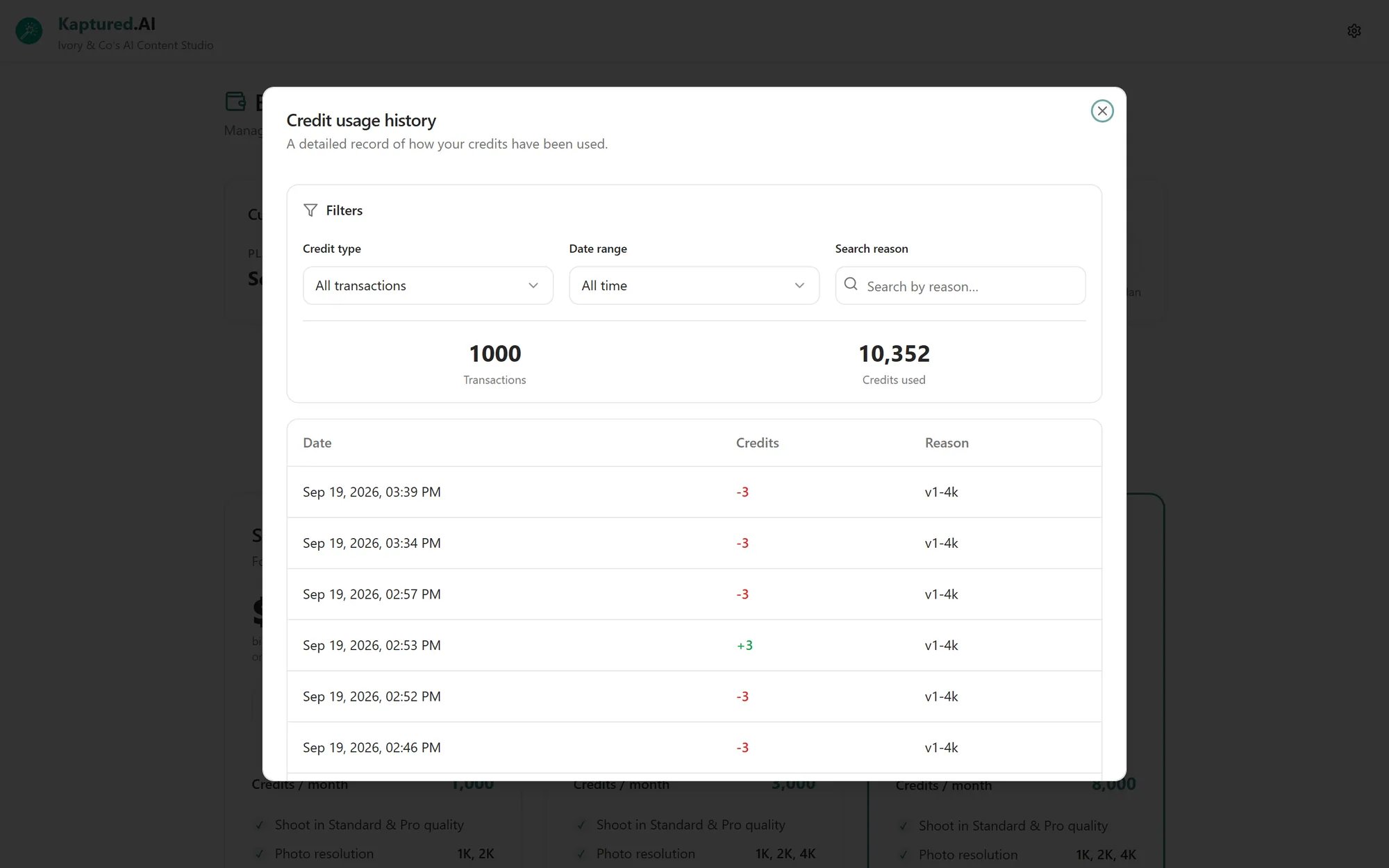
On **Billing & Plans**, click **Usage history**. **Credit usage history** lists every charge and every credit added. Filter by:
* **Credit type:** All transactions, Credits used, or Credits added
* **Date range:** All time, 7, 30 or 90 days
* A search by reason
 ## Running out
If you don't have enough credits, the confirm button is disabled and the dialog shows "Need Y more credits to continue". If you run out mid-way you'll see "You're out of credits to generate images. Please upgrade your plan or purchase more credits."
Buy a top-up or upgrade on **Billing & Plans**. Upgrades add the extra credits for the rest of the month straight away.
## Q: Were failed generations charged?
Images that fail to generate aren't charged. If you think you were charged for a failed image, check **Usage history** and contact support with the time.
## Q: Does my own API key reduce the cost?
No. See [Bring Your Own Key](/account-and-security/bring-your-own-key).
## Related articles
* [Pricing Plans](/subscription-and-billing/pricing-plans)
* [Final Settings and Image Engines](/ai-photo-studio/final-settings-and-image-engines)
* [Managing Your Subscription](/subscription-and-billing/subscription-management)
## Running out
If you don't have enough credits, the confirm button is disabled and the dialog shows "Need Y more credits to continue". If you run out mid-way you'll see "You're out of credits to generate images. Please upgrade your plan or purchase more credits."
Buy a top-up or upgrade on **Billing & Plans**. Upgrades add the extra credits for the rest of the month straight away.
## Q: Were failed generations charged?
Images that fail to generate aren't charged. If you think you were charged for a failed image, check **Usage history** and contact support with the time.
## Q: Does my own API key reduce the cost?
No. See [Bring Your Own Key](/account-and-security/bring-your-own-key).
## Related articles
* [Pricing Plans](/subscription-and-billing/pricing-plans)
* [Final Settings and Image Engines](/ai-photo-studio/final-settings-and-image-engines)
* [Managing Your Subscription](/subscription-and-billing/subscription-management)