> ## Documentation Index
> Fetch the complete documentation index at: https://docs.kaptured.ai/llms.txt
> Use this file to discover all available pages before exploring further.
# Devices, Sessions and Password
> See where you're signed in, sign out everywhere, and change your password.
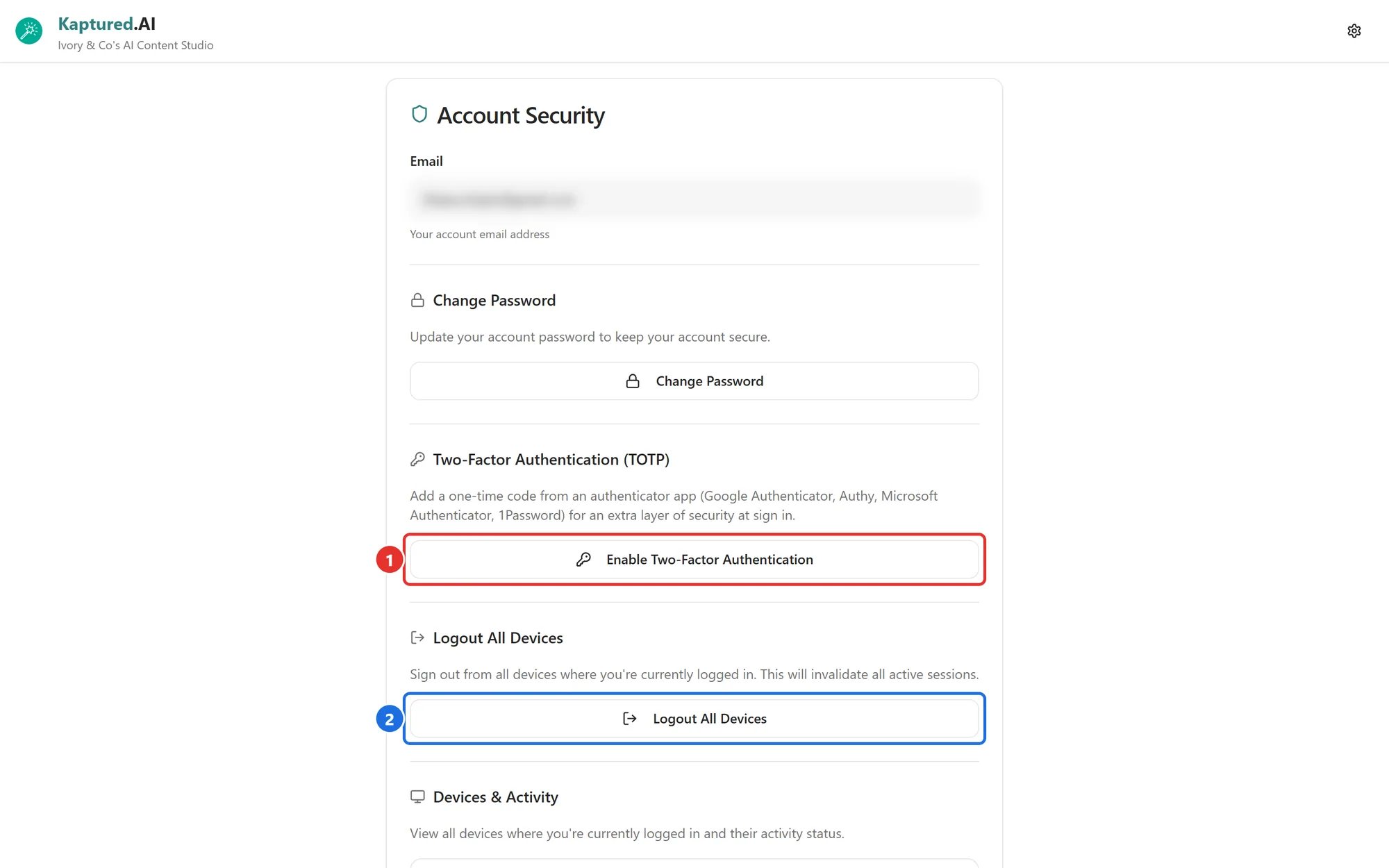
**Account Security** shows every device signed in to your account and lets you sign them all out. Open it from the profile menu.
 ## Your email
Shown at the top for reference. It can't be changed from the app.
## Change your password
Under **Change Password**, enter a **New Password** and **Confirm New Password** (at least 6 characters), then click **Change Password**. You're then asked whether to **Logout All Devices**. See [Password Reset and Account Access](/getting-started/onboarding-first-steps/password-reset).
## Devices & Activity
A list of every device signed in to your account. Each shows:
* The device, browser and operating system
* Location, when known
* **Last active** time
* **Active** (used in the last 10 minutes) or **Inactive**
Sessions that have been inactive for more than 7 days can be removed with the trash icon.
See a device you don't recognize? Click **Logout All Devices**, then change your password and turn on [two-factor authentication](/account-and-security/two-factor-authentication).
## Logout All Devices
Signs you out everywhere, **including this browser**. Use it if you've signed in on a shared computer or lost a device. After confirming, sign in again.
## Related articles
* [Two-Factor Authentication](/account-and-security/two-factor-authentication)
* [Password Reset and Account Access](/getting-started/onboarding-first-steps/password-reset)
* [Bring Your Own Key](/account-and-security/bring-your-own-key)
## Your email
Shown at the top for reference. It can't be changed from the app.
## Change your password
Under **Change Password**, enter a **New Password** and **Confirm New Password** (at least 6 characters), then click **Change Password**. You're then asked whether to **Logout All Devices**. See [Password Reset and Account Access](/getting-started/onboarding-first-steps/password-reset).
## Devices & Activity
A list of every device signed in to your account. Each shows:
* The device, browser and operating system
* Location, when known
* **Last active** time
* **Active** (used in the last 10 minutes) or **Inactive**
Sessions that have been inactive for more than 7 days can be removed with the trash icon.
See a device you don't recognize? Click **Logout All Devices**, then change your password and turn on [two-factor authentication](/account-and-security/two-factor-authentication).
## Logout All Devices
Signs you out everywhere, **including this browser**. Use it if you've signed in on a shared computer or lost a device. After confirming, sign in again.
## Related articles
* [Two-Factor Authentication](/account-and-security/two-factor-authentication)
* [Password Reset and Account Access](/getting-started/onboarding-first-steps/password-reset)
* [Bring Your Own Key](/account-and-security/bring-your-own-key)