> ## Documentation Index
> Fetch the complete documentation index at: https://docs.kaptured.ai/llms.txt
> Use this file to discover all available pages before exploring further.
# Bring Your Own Key (API Keys)
> Add your own Google Gemini API key for image generation.
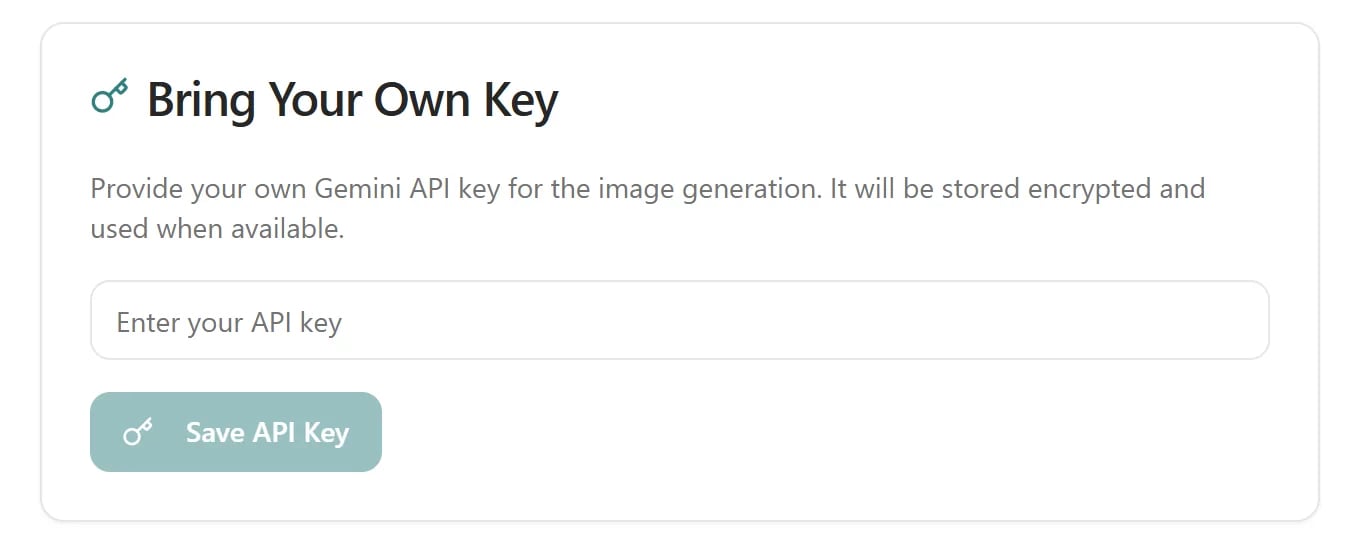
The **API Keys** page lets you add your own Google Gemini API key. When a key is saved, image generation uses it when available.
This is optional. Kaptured AI works fully without it.
 ## Add your key
1. Create an API key in [Google AI Studio](https://aistudio.google.com/apikey). It starts with `AIza`.
2. In Kaptured AI, open the profile menu and go to **API Keys**.
3. Paste the key into **Enter your API key** and click **Save API Key**.
You see "Your API key has been saved and is ready to use." The key is stored encrypted and shown as `******` from then on. In the studio's **Final Settings**, a badge shows **Your own Gemini API key in use**.
## Change or remove your key
Click **Clear Key**. To change it, clear the old key and save the new one.
## If the key won't save
| Message | Fix |
| ------------------------------------------- | ---------------------------------------------------------------------- |
| **API key must start with AIza** | You've pasted something else. Copy the key again from Google AI Studio |
| **API key should be 35–40 characters long** | Part of the key is missing, or there are extra spaces |
## Q: Does my own key change what I pay in credits?
No. Credits are charged the same way with or without your own key. See [How Credits Work](/subscription-and-billing/credits-explained).
## Q: Is there one key per person or per shop?
One key per shop.
## Related articles
* [Final Settings and Image Engines](/ai-photo-studio/final-settings-and-image-engines)
* [How Credits Work](/subscription-and-billing/credits-explained)
* [Devices, Sessions and Password](/account-and-security/devices-and-sessions)
## Add your key
1. Create an API key in [Google AI Studio](https://aistudio.google.com/apikey). It starts with `AIza`.
2. In Kaptured AI, open the profile menu and go to **API Keys**.
3. Paste the key into **Enter your API key** and click **Save API Key**.
You see "Your API key has been saved and is ready to use." The key is stored encrypted and shown as `******` from then on. In the studio's **Final Settings**, a badge shows **Your own Gemini API key in use**.
## Change or remove your key
Click **Clear Key**. To change it, clear the old key and save the new one.
## If the key won't save
| Message | Fix |
| ------------------------------------------- | ---------------------------------------------------------------------- |
| **API key must start with AIza** | You've pasted something else. Copy the key again from Google AI Studio |
| **API key should be 35–40 characters long** | Part of the key is missing, or there are extra spaces |
## Q: Does my own key change what I pay in credits?
No. Credits are charged the same way with or without your own key. See [How Credits Work](/subscription-and-billing/credits-explained).
## Q: Is there one key per person or per shop?
One key per shop.
## Related articles
* [Final Settings and Image Engines](/ai-photo-studio/final-settings-and-image-engines)
* [How Credits Work](/subscription-and-billing/credits-explained)
* [Devices, Sessions and Password](/account-and-security/devices-and-sessions)